

ℹ️ A caution about using prompts inside your application code
ℹ️ A caution about using prompts inside your application code
Phoenix treats prompts as code, but stores them outside your codebase. This has these effects on your application:Key Implementation Impacts
- Your application must use the network to get prompts.
- Debugging is more complex.
- Your application depends on an external system.
- Caching mechanisms
- Fallback systems
- Implement robust caching.
- Implement fallback mechanisms.
- Examine the effect on the reliability requirements of your application.
Pulling a prompt
You can pull a prompt in three ways: by name or ID (latest version), by version, or by tag.Pulling a prompt by Name or ID
Pull a prompt by its name or ID (the identifier) to get the latest version of the prompt. This is the easiest method. A name or ID does not identify a specific version, so you always get the latest version. Thus, use this method only during development.- Python
- TypeScript
Pulling a prompt by Version ID
Pull a prompt by version ID to get the content of a prompt at a specific point in time. A version cannot change and you cannot delete it. Thus, you can use it in production-like use cases.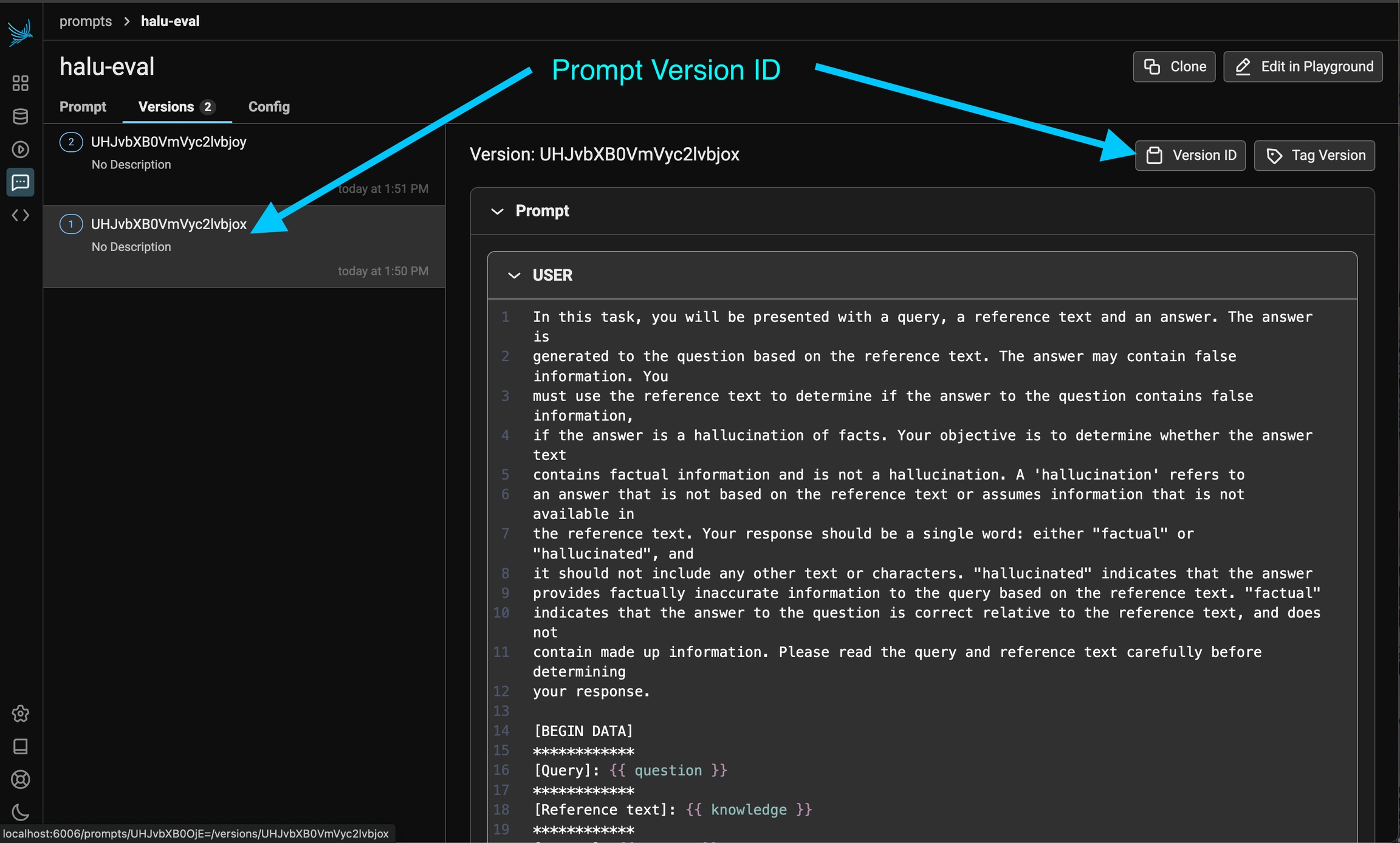
The ID of a specific prompt version can be found in the prompt history.
- Python
- TypeScript
Pulling a prompt by Tag
Pull a prompt by tag to use a specific prompt version automatically in an environment (for example, “staging”). Before you pull by tag, Tag a prompt in the UI.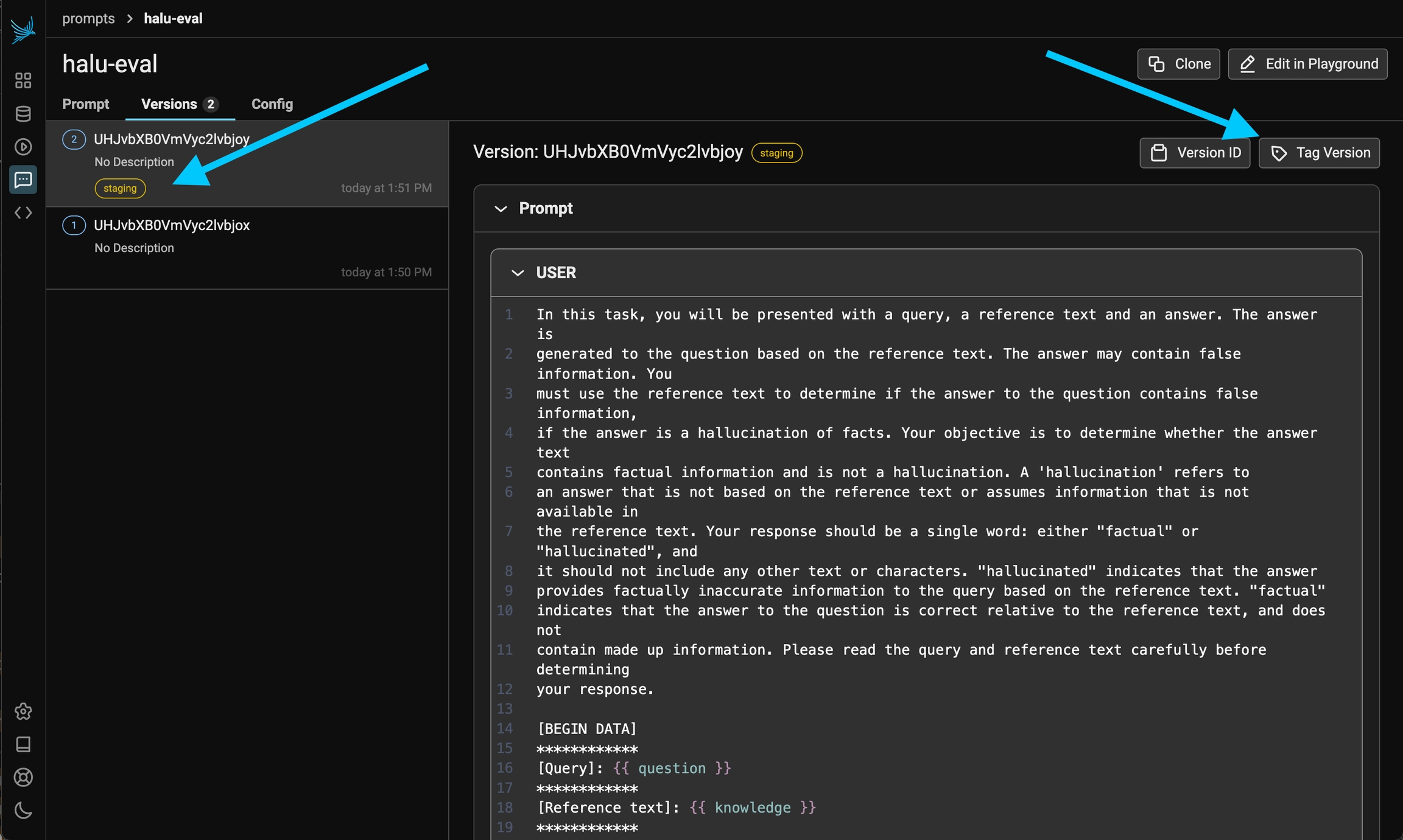
You can control the prompt version tags in the UI.
- Python
- TypeScript
Using a prompt
Use the Phoenix client to format the prompt with variables. The client gives the messages, model information, tools, and response format (if applicable). The Phoenix client libraries transform prompts to the format of your SDK. You do not need a proxy.- Python
- TypeScript
- Python - OpenAI, Anthropic, Gemini
- TypeScript - OpenAI, Anthropic, and the Vercel AI SDK