

- Function tools — normalized, portable tool definitions that work across providers. See Tools in the concepts guide.
- Provider tools (also called vendor-specific or raw tools) — opaque JSON payloads that Phoenix forwards to the underlying provider as-is. Use these when you need a built-in capability that the provider hosts (web search, file search, code execution, grounding, computer use) and that doesn’t fit the function-tool shape.
Supported provider tools
When to use a provider tool
Use a provider tool when:- You need a built-in capability the provider hosts — for example, search, retrieval, code execution, or computer control.
- You’re capturing a span in production that already uses a vendor tool and want Phoenix to round-trip the exact payload back into the Playground.
- You’re comfortable being locked to one provider for that prompt version. Provider tools are dropped automatically when you switch the provider or API type, since the JSON shape is provider-specific.
Adding a provider tool in the Playground
- Open the Playground and select a model that supports the tool you want (Anthropic Claude, an OpenAI Responses-compatible model, Gemini, or Amazon Nova).
- Click Add tool. The JSON editor opens.
- Paste the provider tool payload (see the per-provider sections below).
- On save, Phoenix inspects the JSON: if it matches the function-tool shape it’s stored as a function tool; otherwise it’s stored as a raw provider tool and round-tripped verbatim through the database, GraphQL API, and SDKs.
- Save the prompt version. You can mix function tools and provider tools on the same prompt.
“Open in Playground” on a captured trace preserves provider tools exactly as they were sent to the model — useful when you want to replay a production call and tweak it.
Anthropic — built-in tools
Source of truth: the Anthropic tool reference and per-tool pages linked below. The JSON shapes here mirror those docs — when Anthropic ships a new version, copy the exact payload from their page.
type-string versioning rules.
Server tools (executed by Anthropic):
web_search_20250305/web_search_20260209— live web results with citations; the newer version adds dynamic filtering. Docs.web_fetch_20250910/web_fetch_20260209— retrieve a specific URL and return its content. Docs.code_execution_20250825/code_execution_20260120— sandboxed Python and Bash with file operations; the newer version supports programmatic tool calling. Docs.tool_search_tool_regex_20251119/tool_search_tool_bm25_20251119— defer tool loading and let Claude discover tools from a larger catalog at runtime (Anthropic’s analogue to OpenAItool_search). Docs.
bash_20250124— shell command execution surface. Docs.text_editor_20250124/text_editor_20250728— file-editing tool; pick the version that matches your model generation. Docs.computer_20250124/computer_20251124— screen control via screenshots and actions (beta header required). Docs.memory_20250818— persistent memory store for long-running agents. Docs.
max_uses, allowed_domains, blocked_domains, user_location):
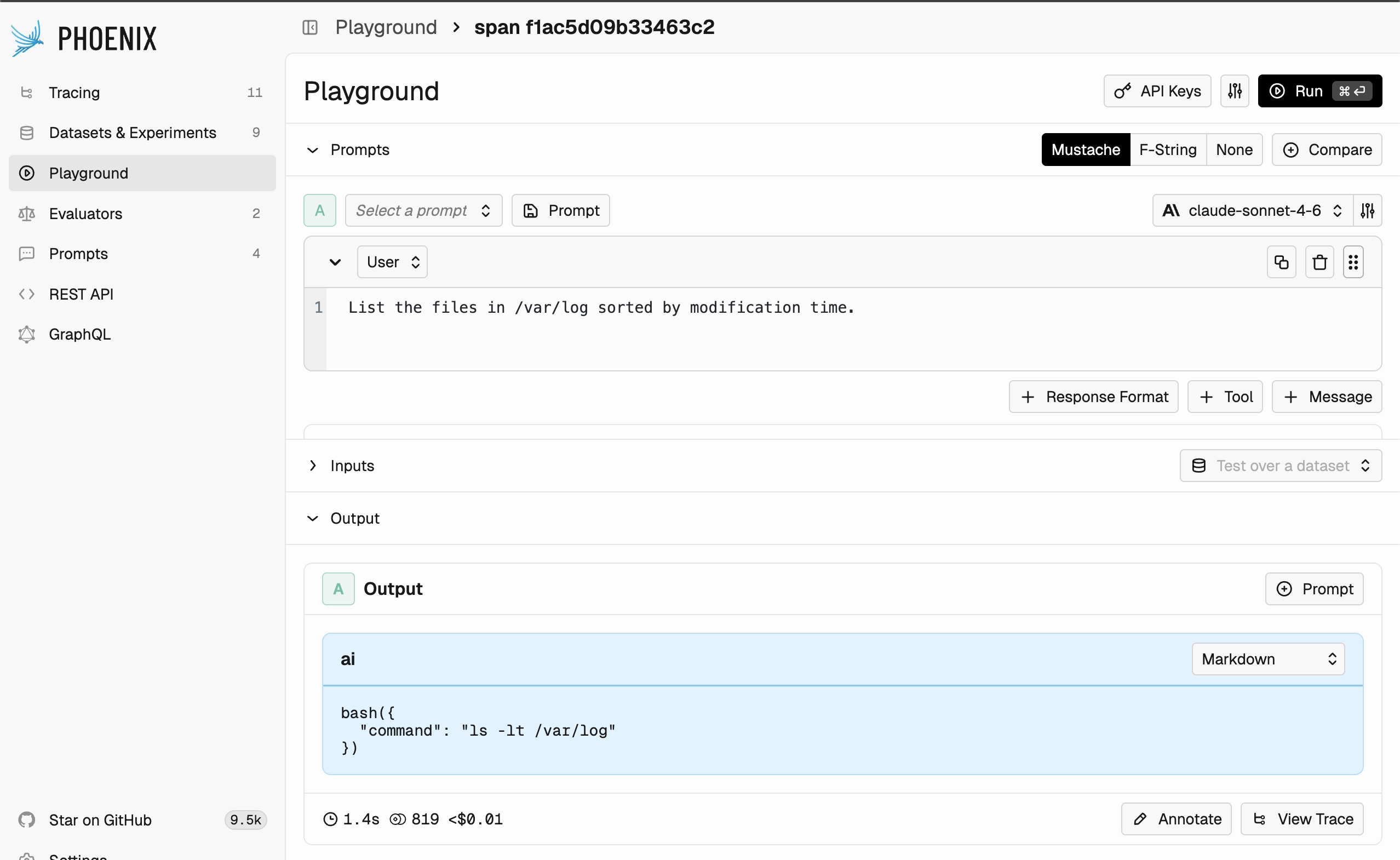
Editing an Anthropic bash tool in the Phoenix Playground.
Anthropic’s
tool_search_tool_* works with the defer_loading: true flag on individual tool definitions, mirroring OpenAI’s tool_search. See the Anthropic tool search guide for prompt-cache interactions.OpenAI Responses API — built-in tools
Source of truth: the OpenAI tools guide and per-tool pages linked below. Phoenix only round-trips the JSON — for current fields and model support, consult OpenAI’s docs.
tools array.
web_search— internet search with citations. Docs.file_search— semantic and keyword retrieval over files in a vector store. Docs.code_interpreter— sandboxed Python execution for analysis, charts, and math. Docs.computer— UI control through screenshots and actions. Docs.tool_search— defer tool loading and let the model search a larger catalog at runtime. Docs.
Deferred tool search
tool_search lets you attach a large catalog of function tools to a prompt without paying for all of their schemas on every request. Tools you want held back are marked with "defer_loading": true; the model then issues a tool_search call to pull just the relevant subset into context, preserving the prefix cache by appending the loaded tools at the end. Available on gpt-5.4 and later Responses-capable models.
Two execution modes are supported:
- Hosted (default) — OpenAI matches deferred tools server-side and returns the loaded subset automatically. Add the tool with no extra fields:
- Client — the model emits a
tool_search_calland your application returns atool_search_outputwith the matching tools. Use this when your tool catalog lives outside OpenAI (e.g. an internal registry or MCP server):
defer_loading on its definition. Phoenix preserves the field verbatim when round-tripping the prompt:
Group deferred tools into namespaces or back them with MCP servers for the largest token savings — OpenAI loads tools at namespace granularity once a search hit lands inside one.
Google Gemini — Google Search grounding
Source of truth: Google’s Grounding with Google Search page. Phoenix passes the tool block through unchanged.
groundingMetadata with citations. Use the google_search tool on current Gemini models; legacy google_search_retrieval is only for older Gemini 1.x models.
Amazon Bedrock — Nova web grounding
Source of truth: AWS’s Nova Web Grounding page. The
systemTool wrapper is required by Bedrock — Phoenix doesn’t add or strip it.systemTool rather than the regular toolSpec.
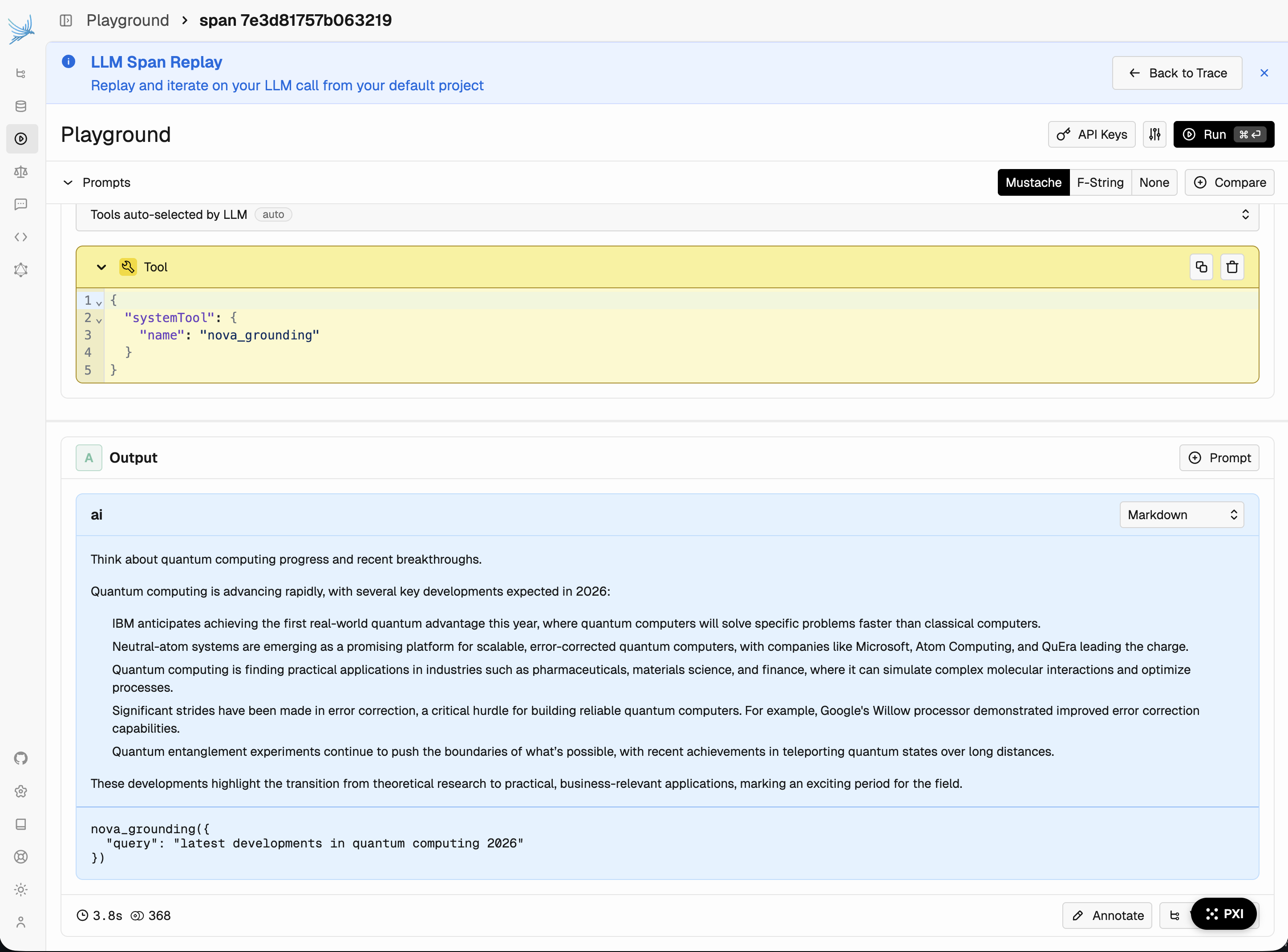
Editing a Nova grounding tool in the Phoenix Playground.
us-east-1, us-east-2, and us-west-2. See the AWS announcement for capabilities and billing.
Pulling and using a prompt with provider tools
The Phoenix client libraries pass provider tools through to the target SDK unchanged. Pull the prompt as you normally would and forward the formatted parameters to the provider client. See Use a prompt for the full pull-and-format workflow.- Python
- TypeScript
Limitations
- Provider tools are dropped when you change the provider or API type on a prompt version. Function tools are kept.
- Provider tools are not allowed on evaluator prompts — evaluators rely on the normalized function-tool output schema.
- Phoenix validates only that the payload is a non-empty JSON object; semantic validity (model support, regional availability, required fields) is delegated to the provider.