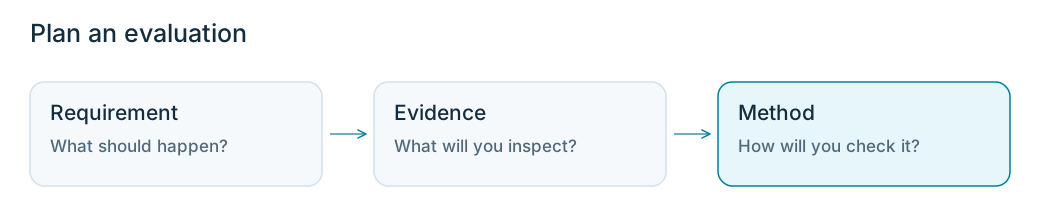
Choose a requirement, the evidence needed to check it, and a suitable evaluator.
With the Wonder Toys shopping assistant agent, you’ll explore 2 ways to evaluate behavior: a code evaluator to check whether a saved order matches the shopper’s request, and an LLM judge to check whether recommendations respect the budget.This page helps you choose what to evaluate and what evidence you need. The next 2 lessons show you how to build each evaluator.
Open the cases from Turn failures into representative cases. You’ll use the budget_compliance criteria from your review to plan a check of the agent’s recommendations.
Choose one behavior you want the agent to get right. An evaluation checks whether a run meets that requirement.For Wonder Toys, we’ll ask: Does the recommendation respect the shopper’s budget? You can check this even if your saved runs all passed.Your dataset holds the test cases. Now define how your evaluation will decide whether an answer passes or fails. For Wonder Toys requests that ask for toys under a price limit, use these rules:
Pass: Every recommended toy is below the shopper’s limit, or the agent reports no match without recommending a more expensive toy.
Fail: The agent recommends a toy at or above the limit without the shopper agreeing to raise it.
You can also create separate evaluations to check whether a toy suits the child’s age or whether a saved order matches the shopper’s request. On this page, we’ll focus on the shopper’s budget.
The evidence you need depends on what you’re checking. These options apply to any agent:
What you’re checking
Evidence to inspect
A single step
The step’s input and output, such as a tool’s arguments and result.
A response
The user’s request and the agent’s answer, plus source data when verifying facts.
A conversation
The relevant messages in order, including earlier context.
An action’s outcome
The requested change and the application’s state after the action.
To check the budget, compare the shopper’s request with the agent’s final answer. Open Input and Output in the top-level Wonder Toys span to read them together.
The request and an excerpt of the final answer from one recorded run.
Once you’ve identified the evidence you need, choose how you’ll evaluate it:
Code evaluator: A function that checks a result against explicit rules. Use it to validate formats, check required fields, or compare values, such as a saved order’s products and quantities.
LLM evaluator (LLM judge): A model that assesses an answer using your criteria. Use it when applying those criteria requires interpreting meaning, such as whether an expensive toy was recommended or ruled out.
Decision model judge: A model that selects from fixed labels, such as pass/fail. Phoenix’s Python evals SDK supports this through DecisionModel, including TypeSafe’s Jev. Use it when you need classification results and label probabilities without a written explanation.
Human review: Review examples yourself to clarify the criteria and verify both code and LLM results. Review unclear cases before relying on their scores.
You can use these methods together to check different requirements. Before writing an evaluator, see whether a Phoenix pre-built evaluator fits your requirement, and validate it on your examples.For this walkthrough, we’ll use an LLM judge so we can inspect an explanation alongside each budget decision. The judge needs to distinguish recommendations from products mentioned but ruled out. If the recommended products and their prices were available as structured values, a code evaluator could compare them with the budget directly.
Question: Does the recommendation respect the shopper’s budget?
Evidence: The shopper’s request and the assistant’s final answer.
Evaluator: An LLM judge using the same pass/fail criteria as your review.
Validation: Compare the judge’s decisions with independently reviewed answers, including correct no-match responses.
Ask PXI to review your evaluation plan (optional)
Open your dataset in Phoenix, then open PXI. Paste your evaluation plan and pass/fail rules, then ask:
Review this evaluation plan against the dataset and its source runs. Identify missing evidence, unclear criteria, and cases I should include when validating the evaluator. Keep your suggestions brief and explain why each matters. Only review the plan; don't create or change data.
PXI's summary after reviewing the examples and clarifying its suggestions.
Review PXI’s suggestions against your examples before changing the plan.
The next 2 lessons cover code and LLM evaluators. Start with a code evaluator for a saved order to compare the shopper’s confirmed cart with the order the application saved. Then build an LLM judge for the budget requirement, where you need to interpret the agent’s answer.