import pandas as pd

data = [
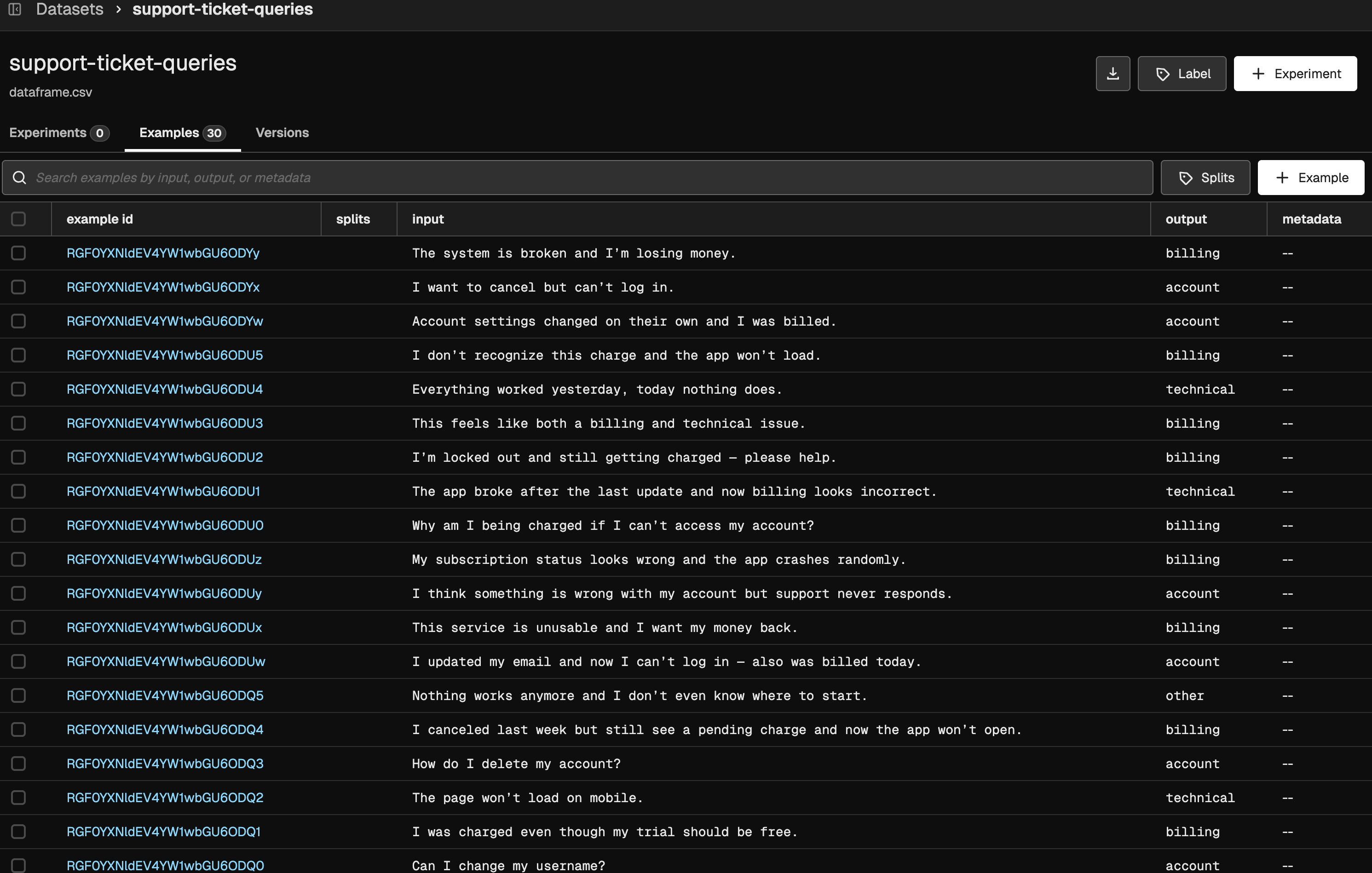
    {"query": "I was charged twice for my subscription this month.", "expected_category": "billing"},
    {"query": "My app crashes every time I try to log in.", "expected_category": "technical"},
    {"query": "How do I change the email on my account?", "expected_category": "account"},
    {"query": "I want a refund because I was billed incorrectly.", "expected_category": "billing"},
    {"query": "The website shows a 500 error.", "expected_category": "technical"},
    {"query": "I forgot my password and cannot sign in.", "expected_category": "account"},
    {"query": "I was billed after canceling my subscription.", "expected_category": "billing"},
    {"query": "The app freezes on startup.", "expected_category": "technical"},
    {"query": "How can I update my billing address?", "expected_category": "account"},
    {"query": "Why was my credit card charged twice?", "expected_category": "billing"},
    {"query": "Push notifications are not working.", "expected_category": "technical"},
    {"query": "Can I change my username?", "expected_category": "account"},
    {"query": "I was charged even though my trial should be free.", "expected_category": "billing"},
    {"query": "The page won't load on mobile.", "expected_category": "technical"},
    {"query": "How do I delete my account?", "expected_category": "account"},
    {"query": "I canceled last week but still see a pending charge and now the app won't open.", "expected_category": "billing"},
    {"query": "Nothing works anymore and I don't even know where to start.", "expected_category": "other"},
    {"query": "I updated my email and now I can't log in — also was billed today.", "expected_category": "account"},
    {"query": "This service is unusable and I want my money back.", "expected_category": "billing"},
    {"query": "I think something is wrong with my account but support never responds.", "expected_category": "account"},
    {"query": "My subscription status looks wrong and the app crashes randomly.", "expected_category": "billing"},
    {"query": "Why am I being charged if I can't access my account?", "expected_category": "billing"},
    {"query": "The app broke after the last update and now billing looks incorrect.", "expected_category": "technical"},
    {"query": "I'm locked out and still getting charged — please help.", "expected_category": "billing"},
    {"query": "This feels like both a billing and technical issue.", "expected_category": "billing"},
    {"query": "Everything worked yesterday, today nothing does.", "expected_category": "technical"},
    {"query": "I don't recognize this charge and the app won't load.", "expected_category": "billing"},
    {"query": "Account settings changed on their own and I was billed.", "expected_category": "account"},
    {"query": "I want to cancel but can't log in.", "expected_category": "account"},
    {"query": "The system is broken and I'm losing money.", "expected_category": "billing"},
]

# Create DataFrame
dataset_df = pd.DataFrame(data)