

- Create an agent using the OpenAI agents SDK
- Trace the agent activity
- Create a dataset to benchmark performance
- Run an experiment to evaluate agent performance using LLM as a judge
- Learn how to evaluate traces in production

Google Colab
colab.research.google.com
Notebook Walkthrough
We will go through key code snippets on this page. To follow the full tutorial, check out the full notebook.Create your first agent with the OpenAI SDK
Here we’ve setup a basic agent that can solve math problems. We have a function tool that can solve math equations, and an agent that can use this tool. We’ll use theRunner class to run the agent and get the final output.
Evaluating our agent
Agents can go awry for a variety of reasons.- Tool call accuracy - did our agent choose the right tool with the right arguments?
- Tool call results - did the tool respond with the right results?
- Agent goal accuracy - did our agent accomplish the stated goal and get to the right outcome?
Create synthetic dataset of questions
Using the template below, we’re going to generate a dataframe of 25 questions we can use to test our math problem solving agent.Experiment in Development
During development, experimentation helps iterate quickly by revealing agent failures during evaluation. You can test against datasets to refine prompts, logic, and tool usage before deploying. In this section, we run our agent against the dataset defined above and evaluate for correctness using LLM as Judge.Create an experiment
With our dataset of questions we generated above, we can use our experiment feature to track changes across models, prompts, parameters for our agent. Let’s create this dataset and upload it into the platform.View Traces in Phoenix
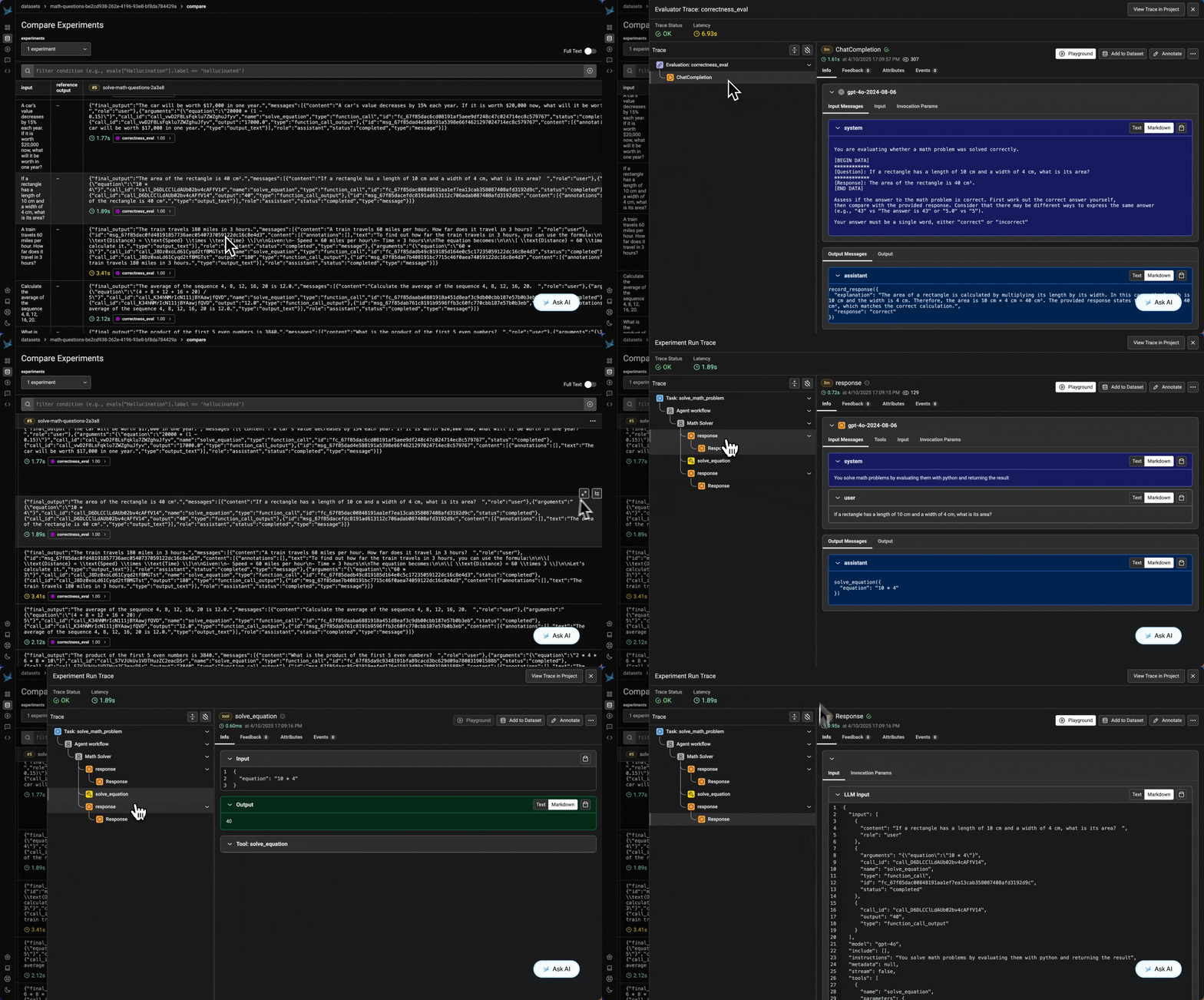
Results
Evaluating in Production
In production, evaluation provides real-time insights into how agents perform on user data. This section simulates a live production setting, showing how you can collect traces, model outputs, and evaluation results in real time. Another option is to pull traces from completed production runs and batch process evaluations on them. You can then log the results of those evaluations in Phoenix.evaluator.evaluate() directly to get both a label and an explanation, enabling metadata to be captured during tracing.
We also revise the task function to include with clauses that generate structured spans in Phoenix. These spans capture key details such as input values, output values, and the results of the evaluation.
View Traces and Evaluator Results in Phoenix as Traces Populate
