

If you are using LangChain, you can use LangChain’s native threads to track sessions! See https://docs.smith.langchain.com/old/monitoring/faq/threads
Evals in the Phoenix UI
Session is a sequence of traces representing a single session (e.g. a session or a thread). Each response is represented as its own trace, but these traces are linked together by being part of the same session.
To associate traces together, you need to pass in a special metadata key where the value is the unique identifier for that thread.
Example Notebooks
| Use Case | Language | Links |
|---|---|---|
| OpenAI tracing with Sessions | Python |   |
| LlamaIndex tracing with Sessions | Python | |
| OpenAI tracing with Sessions | TS/JS | |
Logging Conversations
Below is an example of logging conversations:- Python
- TypeScript
First make sure you have the required dependencies installedBelow is an example of how to propagate session IDs to auto-instrumented spans.
Requires
arize-phoenix-otel 0.16.0 or later for using_session and SpanAttributes to be importable directly from phoenix.otel. On older versions, import them from openinference.instrumentation and openinference.semconv.trace.Viewing Sessions
You can view the sessions for a given project by clicking on the “Sessions” tab in the project. You will see a list of all the recent sessions as well as some analytics. You can search the content of the messages to narrow down the list.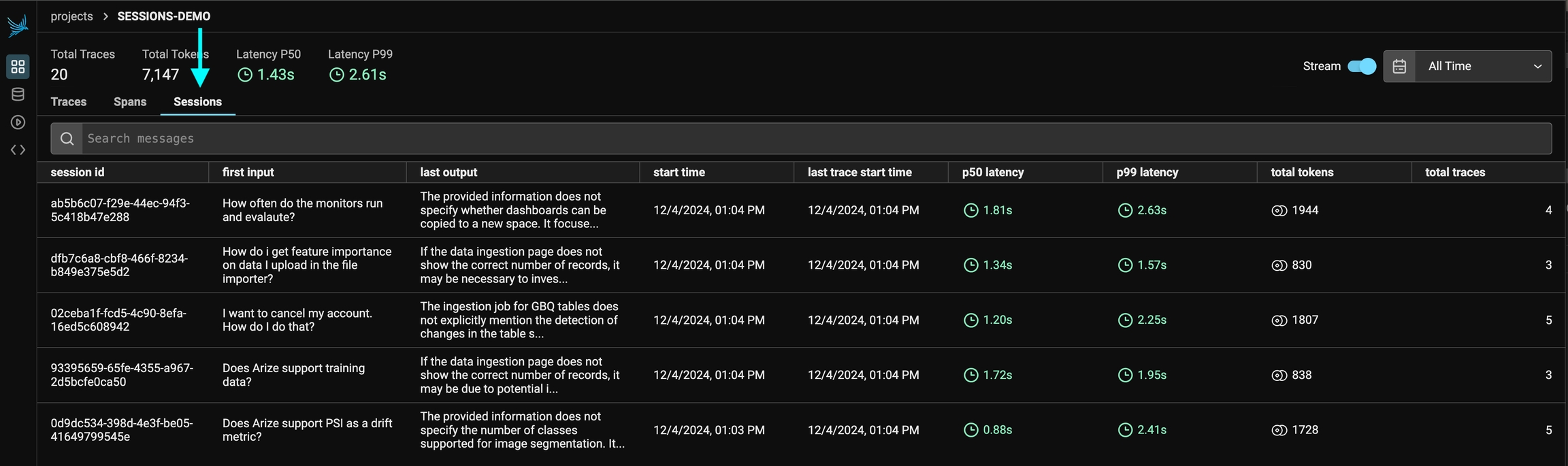
View all the sessions under a project
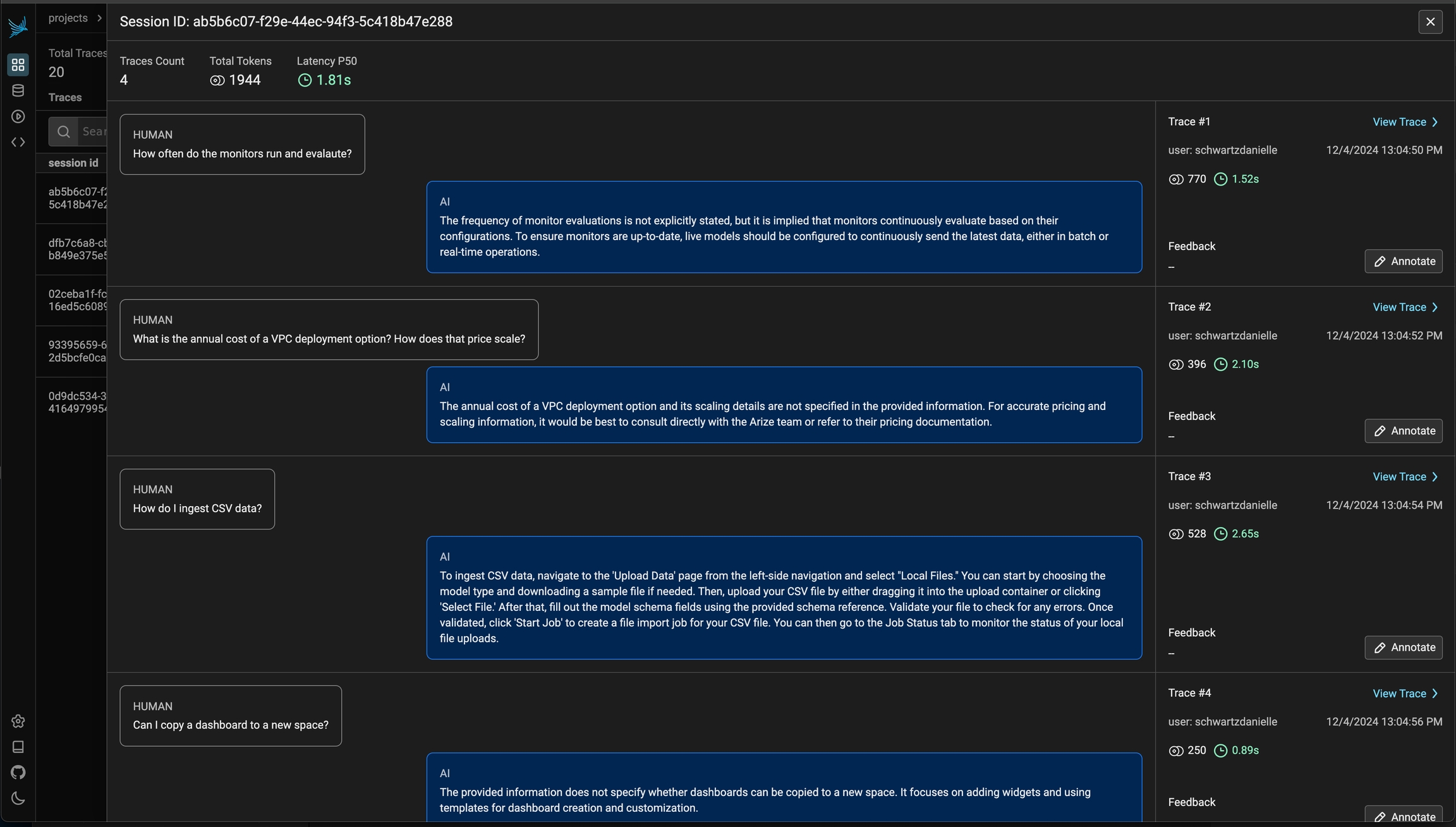
Session details view
How to track sessions with LangChain
For LangChain, in order to log runs as part of the same thread you need to pass a special metadata key to the run. The key value is the unique identifier for that conversation. The key name should be one of:-
session_id -
thread_id -
conversation_id.