

- hard examples that frequently produce poor output,
- a split of examples used in a few-shot prompt and a disjoint, non-overlapping split of examples used for evaluation,
- train, validation, and test splits for fine-tuning an LLM.
Configuring Splits
Experiments can be run over previously configured splits either via the Python or JavaScript clients or via the Phoenix playground.Creating Splits
Currently, Splits can be created in the UI on the dataset page. When inspecting the dataset you will see a new splits column along with a splits filter.

- Creating a Split
- Split Created


Assigning Splits
Splits can currently only be assigned from the UI on the dataset page. To assign dataset examples to splits, select a set of examples and using the split filter we can select splits and it will automatically assign those selected examples to the set of selected splits- Assigning Splits
- Splits Assigned


Using splits
For the rest of this example we will be working with the following dataset, which has 3 examples assigned to test and 7 examples assigned to train.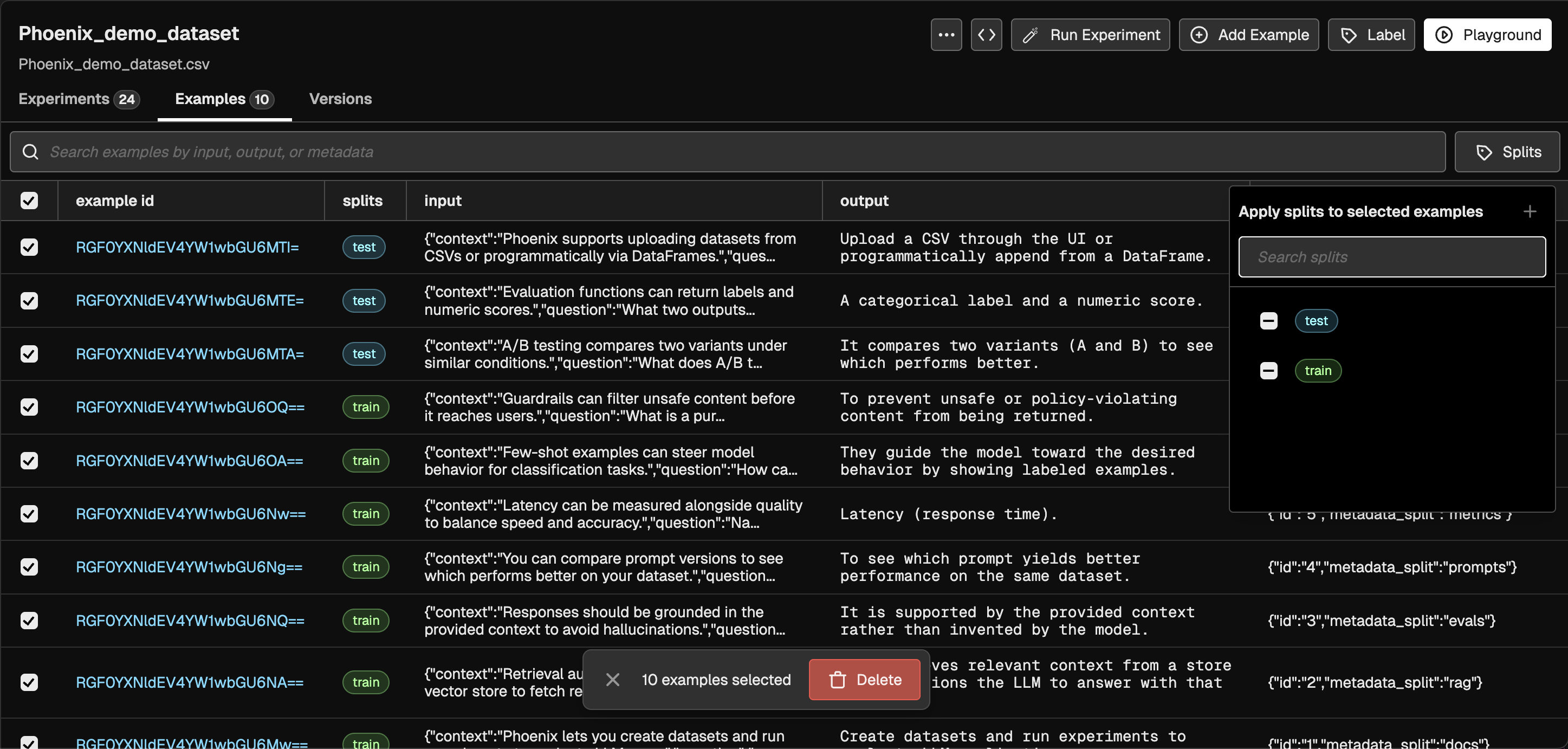
- UI
- Python
- TypeScript
Experiments can be ran over dataset splits from the playground UI. With dataset splits, the dataset selector UI now shows the dataset with the ability to select all examples or to select from a set of splits To run an experiment over the “train” split, we can select the dataset by the train split which shows the 7 selected examples and hit Run
- Selected Split
- Run Experiment on Split

Comparing Experiments on Splits
Splits as a property are mutable, meaning you can add or remove examples from splits at any time. However, for consistent experiment comparison, experiment runs are snapshotted at the time of execution. The association between experiment runs and the splits they were executed against is immutable, ensuring that comparisons remain accurate even if split assignments change later. The comparisons between experiments will always consult the snapshot of the base experiment. This means that when comparing experiments, the system uses the exact set of examples that were included in the base experiment at the time it was executed, regardless of any subsequent changes to split assignments. For example, if you run an experiment on the “train” split when it contains 7 examples (with specific example IDs), those same 7 example IDs are what will be retrieved and compared in any future experiment comparisons. Even if you later add more examples to the “train” split or remove some examples, the comparison will still only include the original 7 examples that were part of the base experiment’s snapshot. When comparing experiments run on splits we will now see this new overlap states where a experiment comparison either doesn’t contain those example IDs:
