> ## Documentation Index
> Fetch the complete documentation index at: https://arizeai-433a7140.mintlify.site/llms.txt
> Use this file to discover all available pages before exploring further.
# Prompts in Code
> Pull and push prompt changes via Phoenix's Python and TypeScript Clients
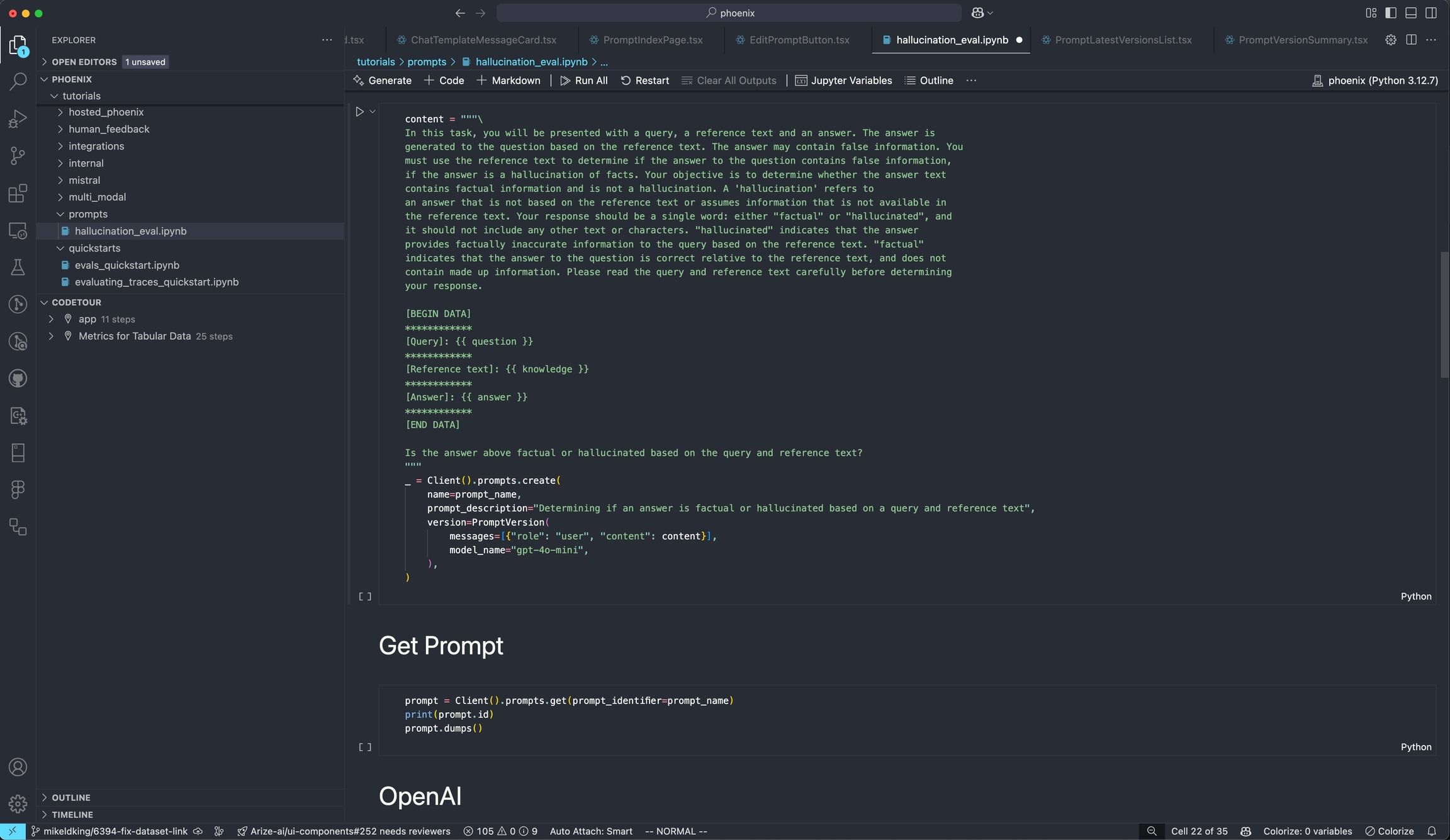 Using Phoenix as a backend, Prompts can be managed and manipulated via code by using our Python or TypeScript SDKs.
With the Phoenix Client SDK you can:
* [Create / Update](/docs/phoenix/prompt-engineering/how-to-prompts/create-a-prompt#using-the-phoenix-client) prompts dynamically
* [Pull prompts](/docs/phoenix/prompt-engineering/how-to-prompts/using-a-prompt) templates by name, version, or tag
* [Format prompt](/docs/phoenix/prompt-engineering/how-to-prompts/using-a-prompt#using-a-prompt) templates with runtime variables and use them in your code. Native support for OpenAI, Anthropic, Gemini, Vercel AI SDK, and more. No propriatry client necessary.
* Support for [tool calling](/docs/phoenix/prompt-engineering/concepts-prompts/prompts-concepts#tools) and [response formats](/docs/phoenix/prompt-engineering/concepts-prompts/prompts-concepts#response-format). Execute tools defined within the prompt. Phoenix prompts encompasses more than just the text and messages.
To learn more about managing Prompts in code, see [Using a prompt](/docs/phoenix/prompt-engineering/how-to-prompts/using-a-prompt)
Using Phoenix as a backend, Prompts can be managed and manipulated via code by using our Python or TypeScript SDKs.
With the Phoenix Client SDK you can:
* [Create / Update](/docs/phoenix/prompt-engineering/how-to-prompts/create-a-prompt#using-the-phoenix-client) prompts dynamically
* [Pull prompts](/docs/phoenix/prompt-engineering/how-to-prompts/using-a-prompt) templates by name, version, or tag
* [Format prompt](/docs/phoenix/prompt-engineering/how-to-prompts/using-a-prompt#using-a-prompt) templates with runtime variables and use them in your code. Native support for OpenAI, Anthropic, Gemini, Vercel AI SDK, and more. No propriatry client necessary.
* Support for [tool calling](/docs/phoenix/prompt-engineering/concepts-prompts/prompts-concepts#tools) and [response formats](/docs/phoenix/prompt-engineering/concepts-prompts/prompts-concepts#response-format). Execute tools defined within the prompt. Phoenix prompts encompasses more than just the text and messages.
To learn more about managing Prompts in code, see [Using a prompt](/docs/phoenix/prompt-engineering/how-to-prompts/using-a-prompt)