> ## Documentation Index
> Fetch the complete documentation index at: https://arizeai-433a7140.mintlify.site/llms.txt
> Use this file to discover all available pages before exploring further.
# BeeAI Tracing (JS)
> Auto-instrument and observe BeeAI agents

NPM Version
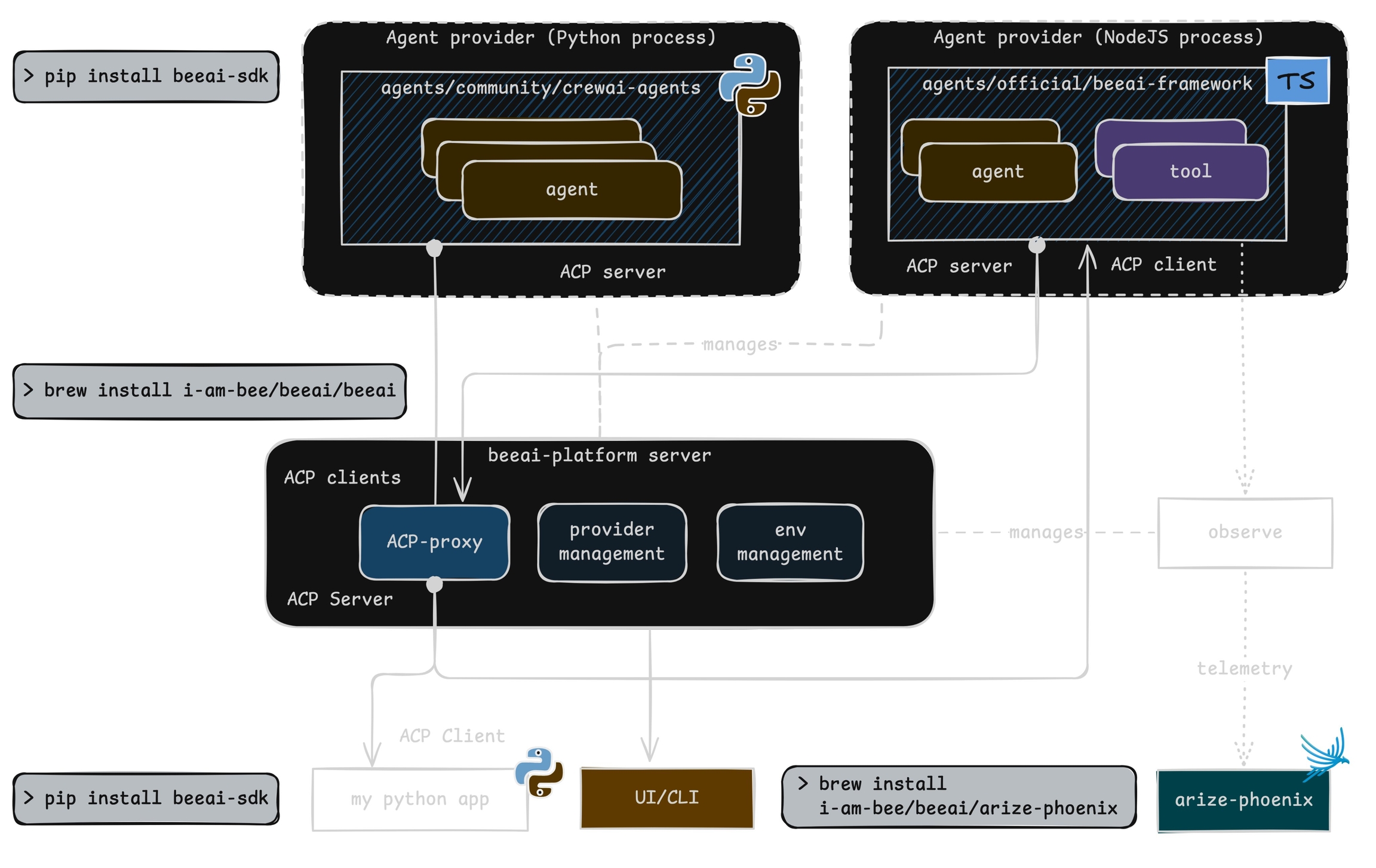
This module provides **automatic instrumentation** for [BeeAI framework](https://github.com/i-am-bee/beeai-framework/tree/main). It integrates seamlessly with the [@opentelemetry/sdk-trace-node](https://github.com/open-telemetry/opentelemetry-js/tree/main/packages/opentelemetry-sdk-trace-node) package to collect and export telemetry data.
## Install
```python theme={null}
npm install --save beeai-framework \
@arizeai/openinference-instrumentation-beeai \
@arizeai/openinference-semantic-conventions \
@opentelemetry/sdk-trace-node \
@opentelemetry/resources \
@opentelemetry/exporter-trace-otlp-proto \
@opentelemetry/semantic-conventions \
@opentelemetry/instrumentation
```
## Setup
To instrument your application, import and enable BeeAIInstrumentation. Create the `instrumentation.js` file:
```javascript expandable theme={null}
import {
NodeTracerProvider,
SimpleSpanProcessor,
ConsoleSpanExporter,
} from "@opentelemetry/sdk-trace-node";
import { diag, DiagConsoleLogger, DiagLogLevel } from "@opentelemetry/api";
import { resourceFromAttributes } from "@opentelemetry/resources";
import { OTLPTraceExporter } from "@opentelemetry/exporter-trace-otlp-proto";
import { ATTR_SERVICE_NAME } from "@opentelemetry/semantic-conventions";
import { SEMRESATTRS_PROJECT_NAME } from "@arizeai/openinference-semantic-conventions";
import * as beeaiFramework from "beeai-framework";
import { registerInstrumentations } from "@opentelemetry/instrumentation";
import { BeeAIInstrumentation } from "@arizeai/openinference-instrumentation-beeai";
const COLLECTOR_ENDPOINT = "your-phoenix-collector-endpoint";
const provider = new NodeTracerProvider({
resource: resourceFromAttributes({
[ATTR_SERVICE_NAME]: "beeai-project",
[SEMRESATTRS_PROJECT_NAME]: "beeai-project",
}),
spanProcessors: [
new SimpleSpanProcessor(new ConsoleSpanExporter()),
new SimpleSpanProcessor(
new OTLPTraceExporter({
url: `${COLLECTOR_ENDPOINT}/v1/traces`,
// (optional) if connecting to Phoenix with Authentication enabled
headers: { Authorization: `Bearer ${process.env.PHOENIX_API_KEY}` },
}),
),
],
});
provider.register();
const beeAIInstrumentation = new BeeAIInstrumentation();
beeAIInstrumentation.manuallyInstrument(beeaiFramework);
registerInstrumentations({
instrumentations: [beeAIInstrumentation],
});
console.log("👀 OpenInference initialized");
```
## Run BeeAI
Sample agent built using BeeAI with automatic tracing:
```javascript expandable theme={null}
import "./instrumentation.js";
import { ToolCallingAgent } from "beeai-framework/agents/toolCalling/agent";
import { TokenMemory } from "beeai-framework/memory/tokenMemory";
import { DuckDuckGoSearchTool } from "beeai-framework/tools/search/duckDuckGoSearch";
import { OpenMeteoTool } from "beeai-framework/tools/weather/openMeteo";
import { OpenAIChatModel } from "beeai-framework/adapters/openai/backend/chat";
const llm = new OpenAIChatModel(
"gpt-4o",
{},
{ apiKey: 'your-openai-api-key' }
);
const agent = new ToolCallingAgent({
llm,
memory: new TokenMemory(),
tools: [
new DuckDuckGoSearchTool(),
new OpenMeteoTool(), // weather tool
],
});
async function main() {
const response = await agent.run({ prompt: "What's the current weather in Berlin?" });
console.log(`Agent 🤖 : `, response.result.text);
}
main();
```
## Observe
Phoenix provides visibility into your BeeAI agent operations by automatically tracing all interactions.
 ## Troubleshooting
Add the following at the top of your `instrumentation.js` to see OpenTelemetry diagnostic logs in your console while debugging:
```javascript theme={null}
import { diag, DiagConsoleLogger, DiagLogLevel } from "@opentelemetry/api";
// Enable OpenTelemetry diagnostic logging
diag.setLogger(new DiagConsoleLogger(), DiagLogLevel.INFO);
```
If traces aren't appearing, a common cause is an outdated `beeai-framework` package. Check the diagnostic logs for version or initialization errors and update your package as needed.
## Custom Tracer Provider
You can specify a custom tracer provider for BeeAI instrumentation in multiple ways:
### Method 1: Pass tracerProvider on instantiation
```javascript theme={null}
const beeAIInstrumentation = new BeeAIInstrumentation({
tracerProvider: customTracerProvider,
});
beeAIInstrumentation.manuallyInstrument(beeaiFramework);
```
### Method 2: Set tracerProvider after instantiation
```javascript theme={null}
const beeAIInstrumentation = new BeeAIInstrumentation();
beeAIInstrumentation.setTracerProvider(customTracerProvider);
beeAIInstrumentation.manuallyInstrument(beeaiFramework);
```
### Method 3: Pass tracerProvider to registerInstrumentations
```php theme={null}
const beeAIInstrumentation = new BeeAIInstrumentation();
beeAIInstrumentation.manuallyInstrument(beeaiFramework);
registerInstrumentations({
instrumentations: [beeAIInstrumentation],
tracerProvider: customTracerProvider,
});
```
## Resources
* [BeeAI Framework GitHub](https://github.com/i-am-bee/beeai-framework)
* [OpenInference BeeAI Instrumentation Package](https://www.npmjs.com/package/@arizeai/openinference-instrumentation-beeai)
* [OpenTelemetry Node.js SDK Documentation](https://opentelemetry.io/docs/languages/js/getting-started/nodejs/)
* [BeeAI Examples](https://github.com/Arize-ai/openinference/tree/main/js/packages/openinference-instrumentation-beeai/examples)
## Troubleshooting
Add the following at the top of your `instrumentation.js` to see OpenTelemetry diagnostic logs in your console while debugging:
```javascript theme={null}
import { diag, DiagConsoleLogger, DiagLogLevel } from "@opentelemetry/api";
// Enable OpenTelemetry diagnostic logging
diag.setLogger(new DiagConsoleLogger(), DiagLogLevel.INFO);
```
If traces aren't appearing, a common cause is an outdated `beeai-framework` package. Check the diagnostic logs for version or initialization errors and update your package as needed.
## Custom Tracer Provider
You can specify a custom tracer provider for BeeAI instrumentation in multiple ways:
### Method 1: Pass tracerProvider on instantiation
```javascript theme={null}
const beeAIInstrumentation = new BeeAIInstrumentation({
tracerProvider: customTracerProvider,
});
beeAIInstrumentation.manuallyInstrument(beeaiFramework);
```
### Method 2: Set tracerProvider after instantiation
```javascript theme={null}
const beeAIInstrumentation = new BeeAIInstrumentation();
beeAIInstrumentation.setTracerProvider(customTracerProvider);
beeAIInstrumentation.manuallyInstrument(beeaiFramework);
```
### Method 3: Pass tracerProvider to registerInstrumentations
```php theme={null}
const beeAIInstrumentation = new BeeAIInstrumentation();
beeAIInstrumentation.manuallyInstrument(beeaiFramework);
registerInstrumentations({
instrumentations: [beeAIInstrumentation],
tracerProvider: customTracerProvider,
});
```
## Resources
* [BeeAI Framework GitHub](https://github.com/i-am-bee/beeai-framework)
* [OpenInference BeeAI Instrumentation Package](https://www.npmjs.com/package/@arizeai/openinference-instrumentation-beeai)
* [OpenTelemetry Node.js SDK Documentation](https://opentelemetry.io/docs/languages/js/getting-started/nodejs/)
* [BeeAI Examples](https://github.com/Arize-ai/openinference/tree/main/js/packages/openinference-instrumentation-beeai/examples)