> ## Documentation Index
> Fetch the complete documentation index at: https://arizeai-433a7140.mintlify.site/llms.txt
> Use this file to discover all available pages before exploring further.
# Amazon Bedrock Agents Tracing
> Instrument LLM calls to AWS Bedrock via the boto3 client using the BedrockInstrumentor
export const projectName_0 = "my-llm-app"
colab.research.google.com
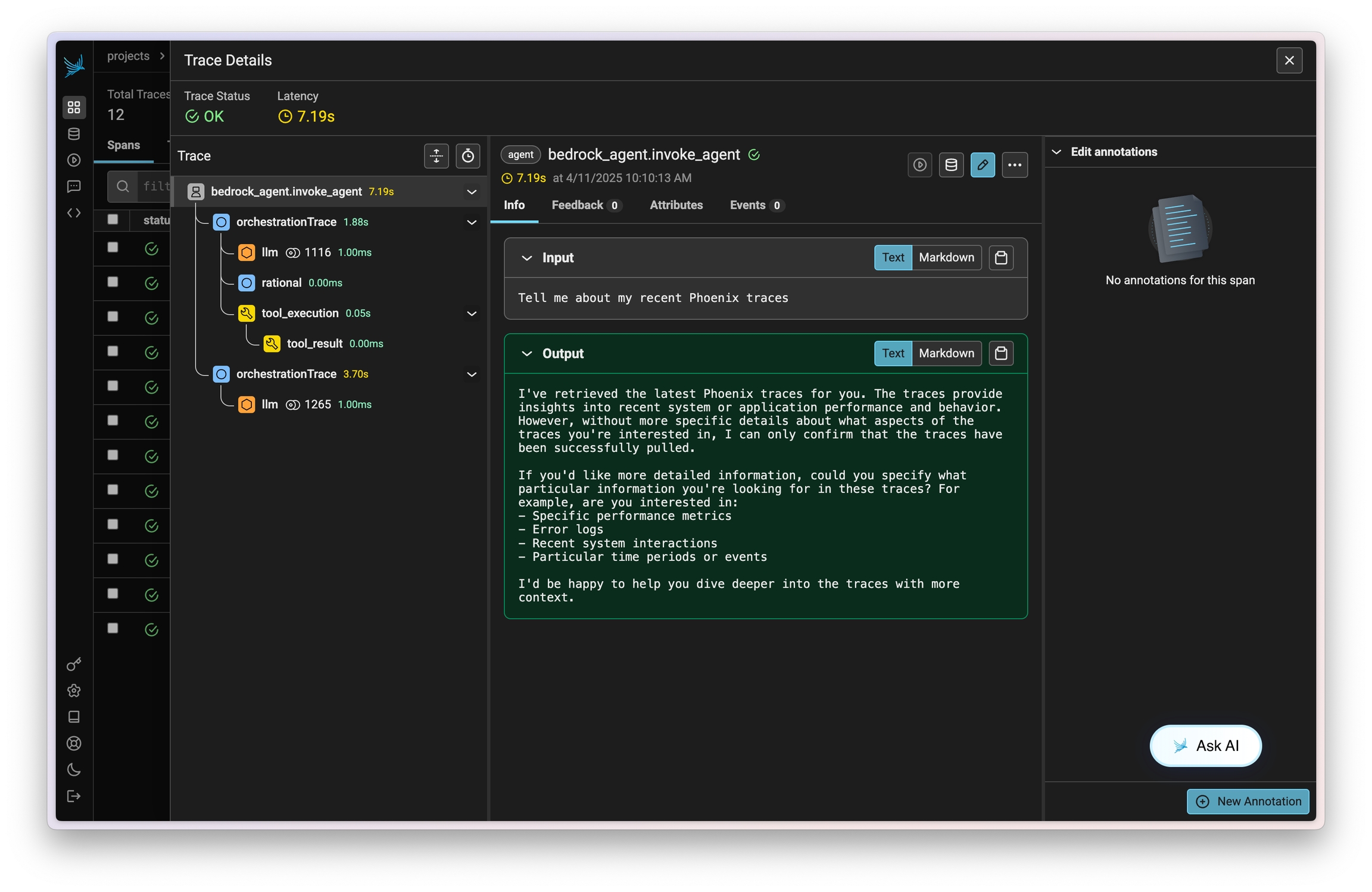
Amazon Bedrock Agents allow you to easily define, deploy, and manage agents on your AWS infrastructure. Traces on invocations of these agents can be captured using OpenInference and viewed in Phoenix.
This instrumentation will capture data on LLM calls, action group invocations (as tools), knowledgebase lookups, and more.
## Install
```bash theme={null}
pip install openinference-instrumentation-bedrock
```
## Setup
Connect your application to Phoenix with the `register` function:
{`from phoenix.otel import register
# configure the Phoenix tracer
tracer_provider = register(
project_name="${projectName_0}", # Default is 'default'
auto_instrument=True # Auto-instrument your app based on installed OI dependencies
)`}
After connecting to your Phoenix server, instrument `boto3` prior to initializing a `bedrock-runtime` client. All clients created after instrumentation will send traces on all calls to `invoke_model`, `invoke_agent`, and their streaming variations.
```python theme={null}
import boto3
session = boto3.session.Session()
client = session.client("bedrock-runtime")
```
## Run Bedrock Agents
From here you can run Bedrock as normal
```python theme={null}
session_id = f"default-session1_{int(time.time())}"
attributes = dict(
inputText=input_text,
agentId=AGENT_ID,
agentAliasId=AGENT_ALIAS_ID,
sessionId=session_id,
enableTrace=True,
)
response = client.invoke_agent(**attributes)
```
## Observe
Now that you have tracing setup, all calls will be streamed to your running Phoenix for observability and evaluation.
 ## Resources
* [Tracing and Evals example](https://github.com/Arize-ai/phoenix/blob/main/tutorials/integrations/amazon_bedrock_agents_tracing_and_evals.ipynb)
* [OpenInference package](https://github.com/Arize-ai/openinference/blob/main/python/instrumentation/openinference-instrumentation-bedrock)
## Resources
* [Tracing and Evals example](https://github.com/Arize-ai/phoenix/blob/main/tutorials/integrations/amazon_bedrock_agents_tracing_and_evals.ipynb)
* [OpenInference package](https://github.com/Arize-ai/openinference/blob/main/python/instrumentation/openinference-instrumentation-bedrock)